
Beta 35: A searchable archive of every session from every agent
Shipped on 25 October 2026, Beta 35 adds a searchable archive of your sessions from every agent. You can search and rename every archived session, while Claude Code and Cowork sessions can also be reopened.
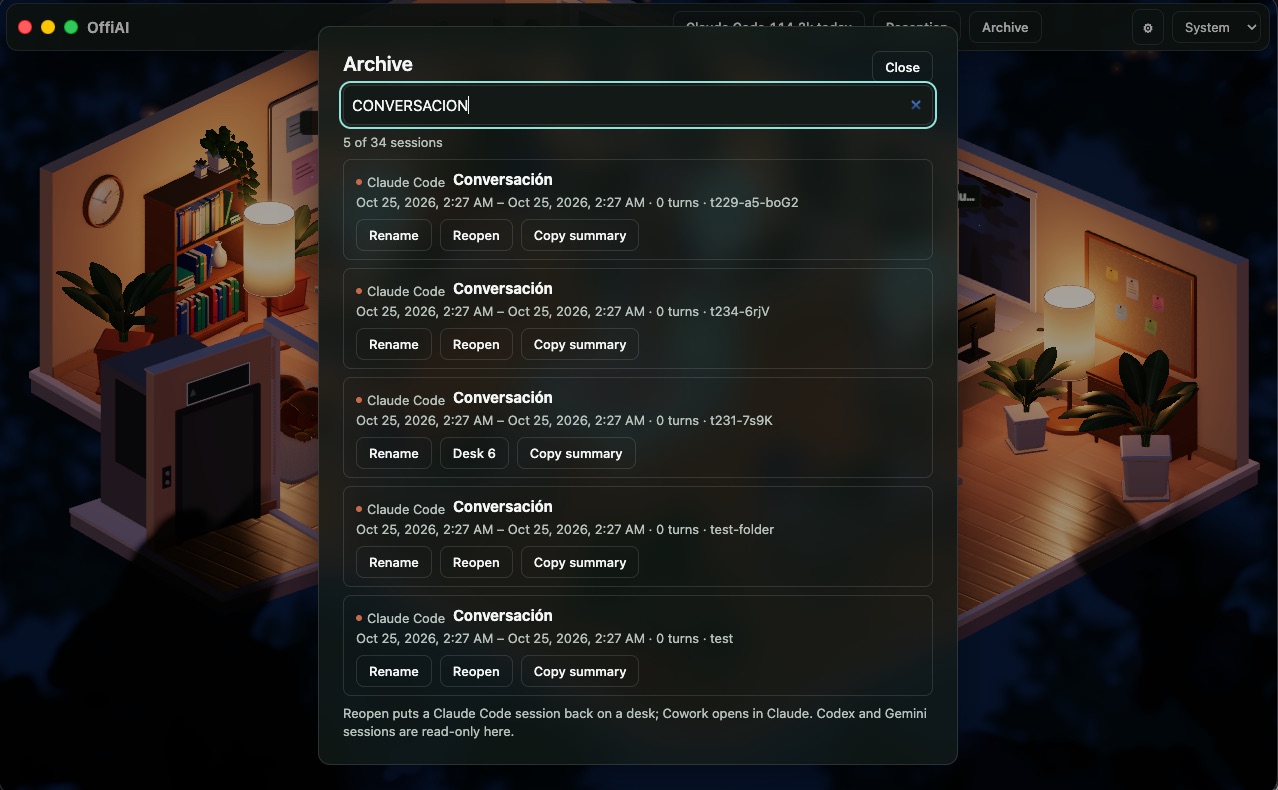
Sessions stay in the archive across restarts while Settings → “Keep an archive of sessions” is on. It is on by default; turned off, it records nothing new and the dialog still lists what it kept. “Clear archive…” is next to it in Settings, asks first, then empties the archive.
Every top-level session listed from Claude Code, Codex, Gemini, or Cowork becomes an archive entry that outlives the 10-minute window and restarts. Helpers never become entries. OffiAI keeps up to 2,000 entries on this Mac, removing the least recently seen first and never one listed right now.
To open the archive, click “Archive” in the top bar, right after Reception. This opens a modal glass dialog showing your sessions newest first. Inside, Cmd+F or Ctrl+F focuses the search field, which filters across titles, excerpts, families, and folder labels on every keystroke. Escape closes the dialog or cancels a rename.
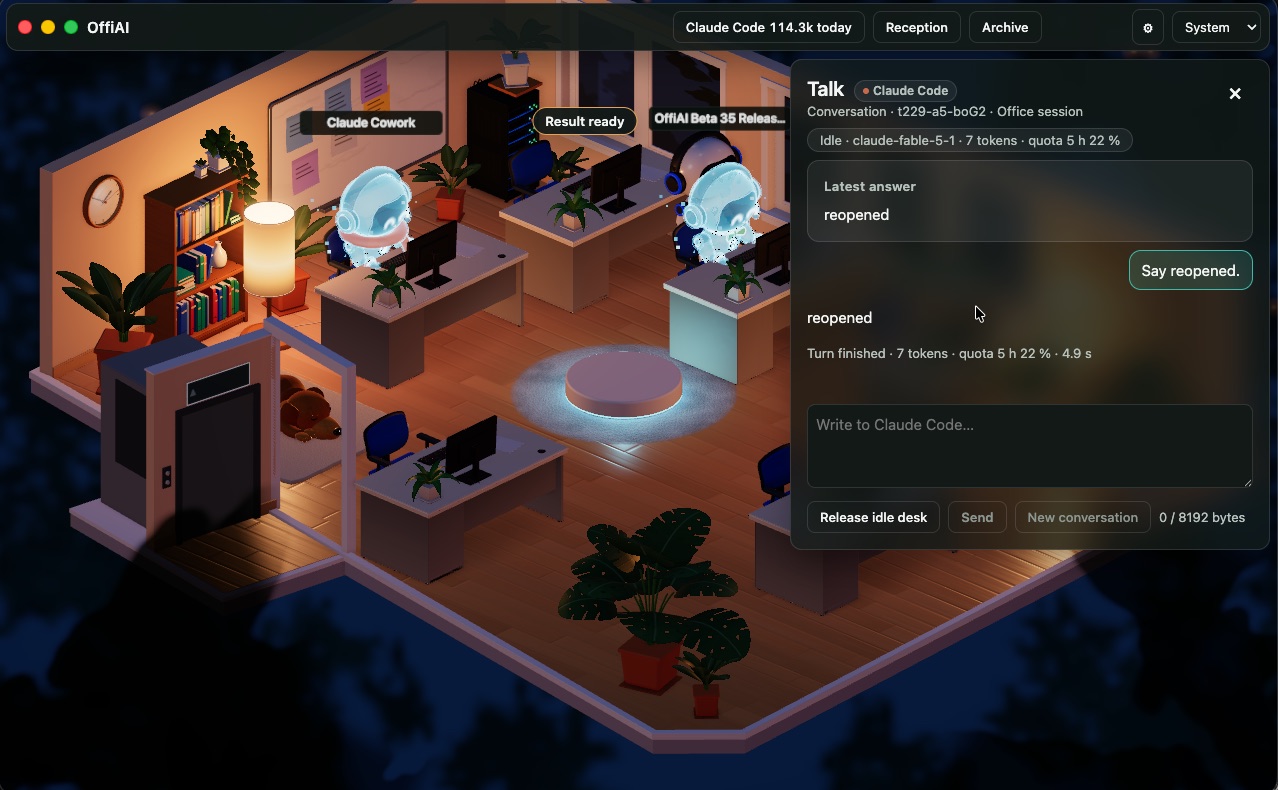
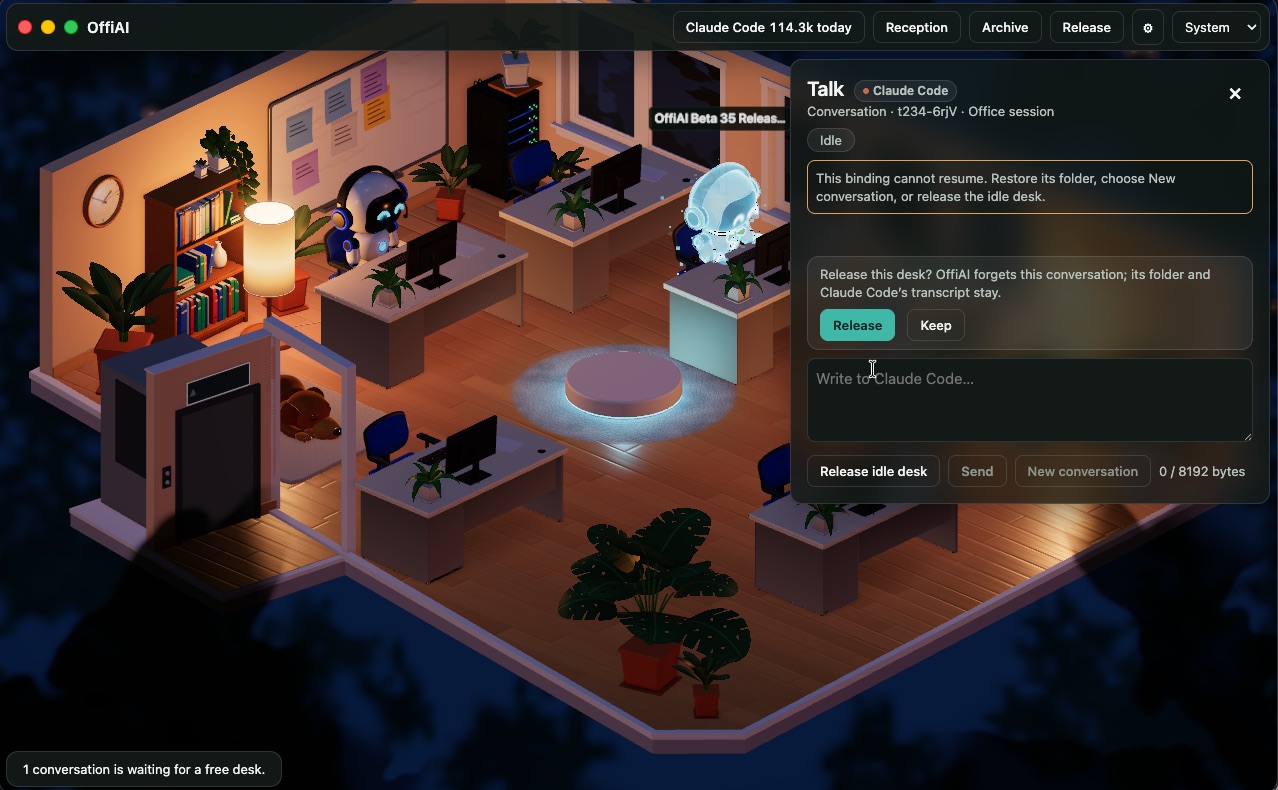
From each row in the archive, you can: - Rename a session up to 120 characters. This rename is for your eyes only: it shows in OffiAI and never touches the agent’s own files; leaving the name blank restores the original title. - Reopen a Claude Code session onto a free desk. A session a terminal holds, an occupied desk, or a transcript OffiAI cannot find is refused, and the dialog says why. A session already on a desk opens that desk, and nothing runs until you send its next prompt. - Open a Cowork conversation in Claude (“Open in Claude”). - Copy a summary to your clipboard.
## What it does not do Codex and Gemini sessions are listed in the archive but cannot be reopened. The archive lists sessions from when OffiAI first saw them, so it does not contain sessions from before OffiAI was watching. Finally, the archive keeps at most 2,000 entries.
In pictures
Want to try it? Join the preview.