
A stuck desk can be released
Beta 49, released on 29 October 2026, fixes five problems found in beta 47: a desk stuck in a Problem state, the phone’s Settings entry, a misleading review error, the order in which a free desk is handed out, and a clipped Changes preview.
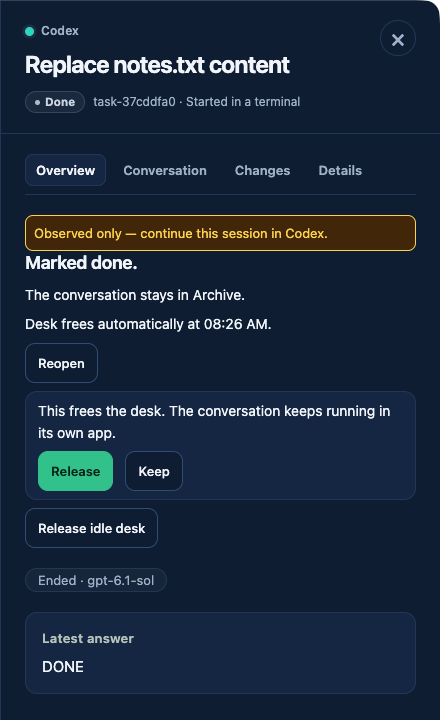
What changed
- A Problem desk that OffiAI can safely release now shows Release idle desk directly. It asks with the same confirmation as before: “Release this desk? Its folder and conversation history will be kept. An idle process will be stopped.” The Release control in the office scene is still a different action.
- Safe automatic parking can free a desk without marking its work done and without stopping a conversation that runs in another app.
- When a desk becomes free, a task you placed with Add to the line gets it before a newly followed outside session. It only takes desks that are not reserved.
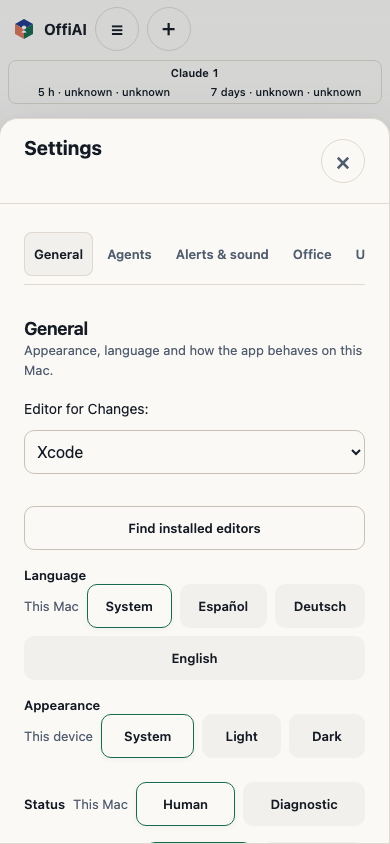
- On the phone, Settings opens from the Office menu again. Its appearance setting is marked This device, so a new phone can show System while the Mac uses Dark.
- Mark reviewed and Reopen no longer show an error that belonged to another task. A decision that really fails still says “Could not save the decision. Try again.”
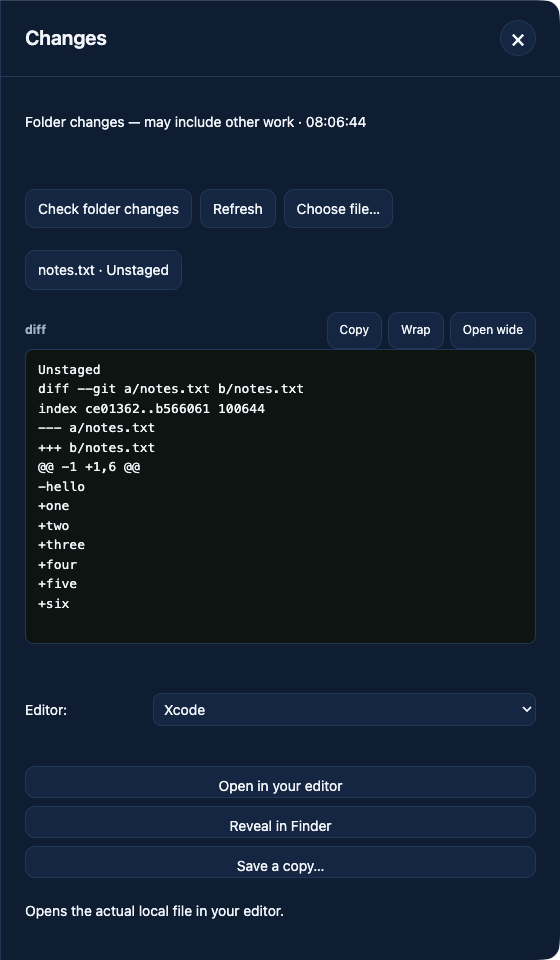
- Changes shows a diff over several lines again, and longer previews scroll inside the panel. Refresh, Close and Escape work as before.
How to use it
Open a desk marked Problem. If OffiAI can release it safely, choose Release idle desk and confirm.
On the phone, open the Office menu and choose Settings.
Honest limits
- Only a desk that OffiAI can safely release offers the action directly.
- If OffiAI cannot prove that a broken desk is inactive, it does not park it, and the desk stays occupied.
- The phone’s appearance choice applies to that phone only; it does not change the Mac.
In pictures
Want to try it? Join the preview.