
Approvals you can answer from one place
The most expensive moment in agent work is the silent one: a session stops to ask permission, nobody sees it, and twenty minutes pass. If you run several agents, it will happen to you.
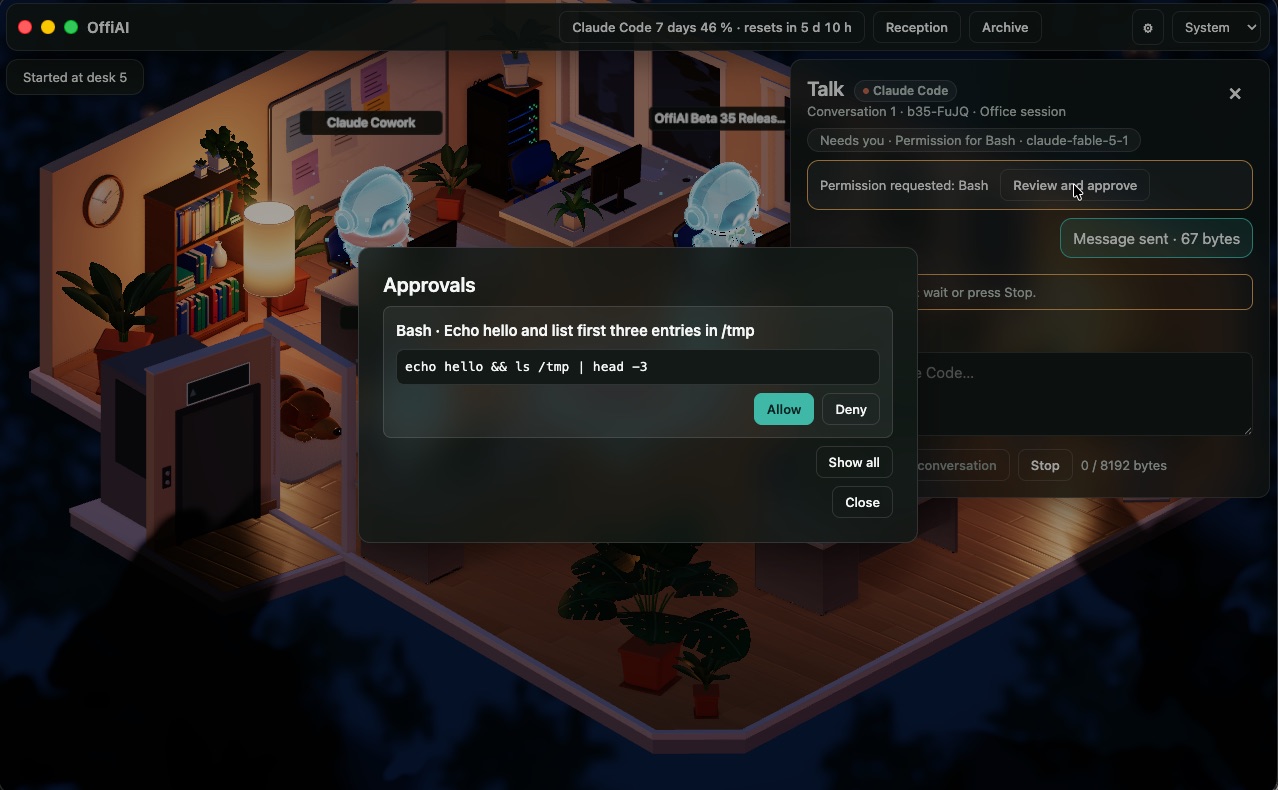
OffiAI has two parts for this: a list where requests wait for your answer, and alerts that tell you a request exists.
What Approvals shows
For Claude Code work you start from OffiAI, permission requests go to the Approvals list instead of waiting in a terminal. Each request shows the tool, a plain-language description and the command as written: paths, URLs, operators and every chained command are visible. Only things that look like secrets (keys, tokens, passwords) are replaced with “[secret]”. We show the command as written on purpose: a summary of a command is not enough to decide whether to allow it.
You then choose Allow or Deny. After you answer, the desk drawer reads “Working” straight away, and the next update shows the real state. If the answer cannot be delivered, the notice stays visible until you succeed or close it, and the buttons come back so you can try again.
Approvals also keeps its focus. If the list refreshes and nothing has changed, your keyboard focus and the Allow and Deny buttons stay where they are.
How the desk tells you
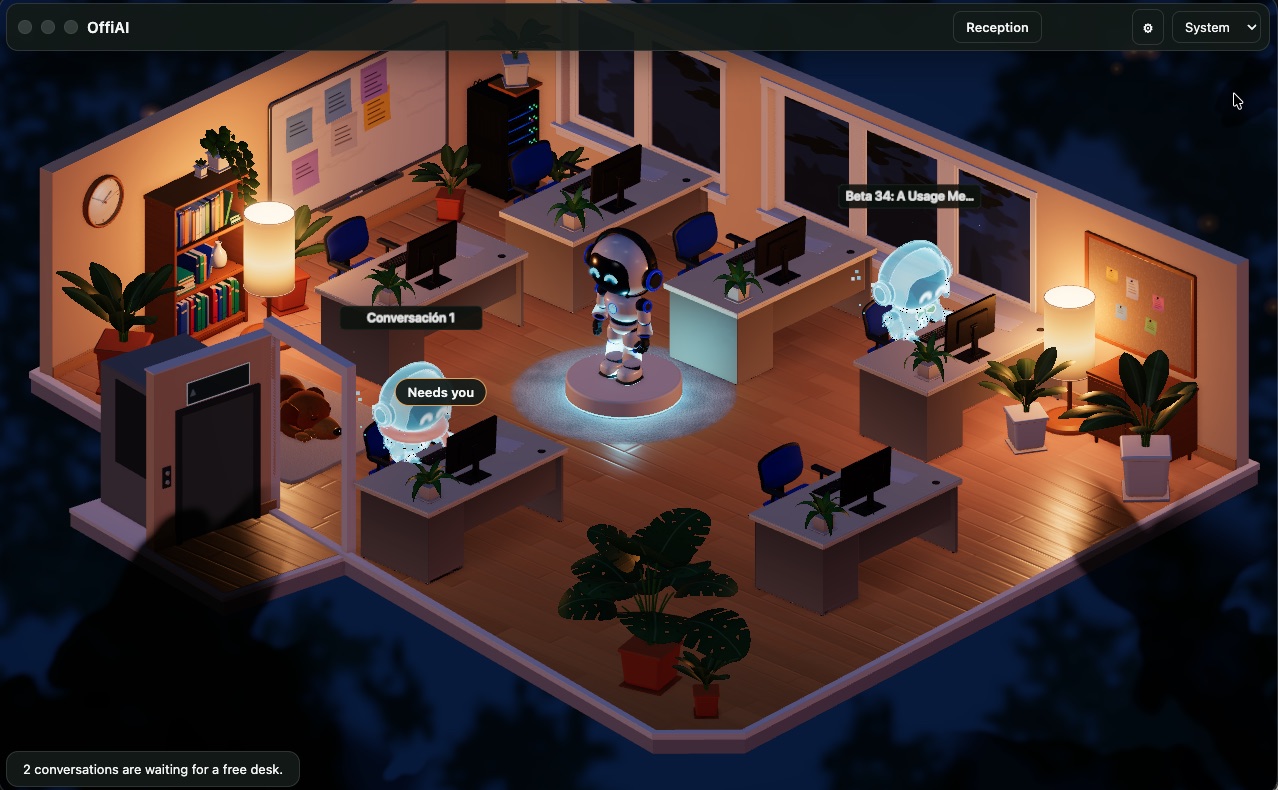
A desk waiting for you says “Needs you”. Open its Talk drawer and you see “Permission requested”, with a “Review and approve” button that opens Approvals on that session. You do not have to hunt through the list.
If you are not looking at the app, switch on the macOS notification in Settings (Agents → “macOS notifications (finished, needs you, stuck)”). It is off by default. A notification reads “OffiAI · desk N”, the event and the masked title, never the answer, and clicking it opens that desk’s drawer. Sound tones and character voices are in Settings → Alerts, and they play only while the office sound is on. The desk whose drawer is open in the window you are looking at does not alert you at all.
Requests appear only when Claude Code would ask
Approvals does not add questions. A request appears only when your Claude Code settings would ask anyway. If your settings allow a command, it runs and no request is created. When the session ends or you press Stop, its pending requests disappear.
Which sessions this covers
Be clear about the edges:
- Claude Code sessions you start from OffiAI: requests wait in Approvals. There is no switch to turn this off: such work always asks through OffiAI when Claude Code would ask.
- Claude Code sessions you start in a terminal: by default they keep asking in the terminal, and they still get a desk and an alert when they need you. Since beta 42 you can switch on “Approve terminal sessions in OffiAI” in Settings (it is off by default). The Bash permission requests of those sessions then come to their desk, with Allow and Deny.
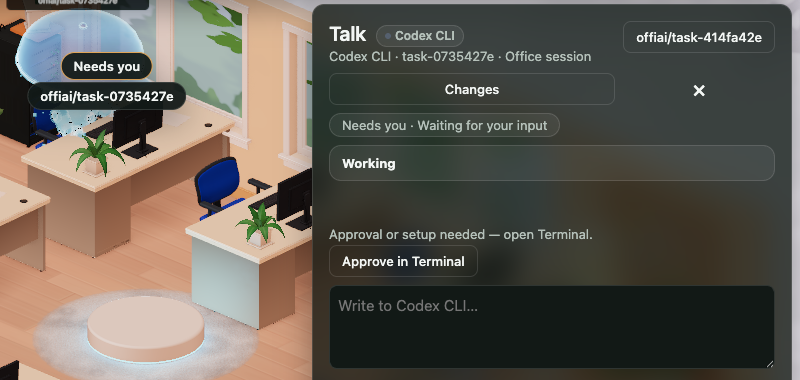
- Codex and Gemini: the approval stays in the agent’s own terminal. The desk shows “Approve in Terminal” and an “Open in Terminal” button.
- Cowork: use “Open in Claude”.
What is coming
Approvals for Codex and Gemini sessions inside the app are not built. For now they stay in the agent’s own terminal. The roadmap lists what is next, and the changelog says when something ships.
Try it
OffiAI is free for Macs with Apple silicon and sends no session data to us. Download it from the release page.
In pictures
Want to try it? Join the preview.