
Choose whether Enter or Command+Enter sends your message
Beta 52 arrived on 29 October 2026. Enter is now the default send key across desktop message boxes, and this update lets you choose whether Enter or Command+Enter sends your message, with a shortcut for a new line.
What changed
Enter now sends your message in every message box across the desktop app. This update covers desk Talk, robot conversations, the Library, Reception, tasks, and presentations. Command+Enter still sends your message across all of these desktop message boxes as well.
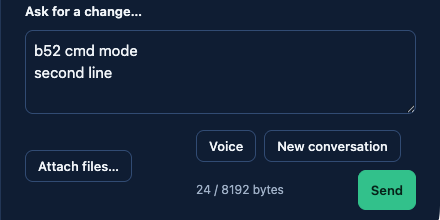
When Enter sends your message, Shift+Enter or Option+Enter makes a new line. Press Shift+Enter or Option+Enter whenever you need a new line in any of these message boxes.
How to use the setting
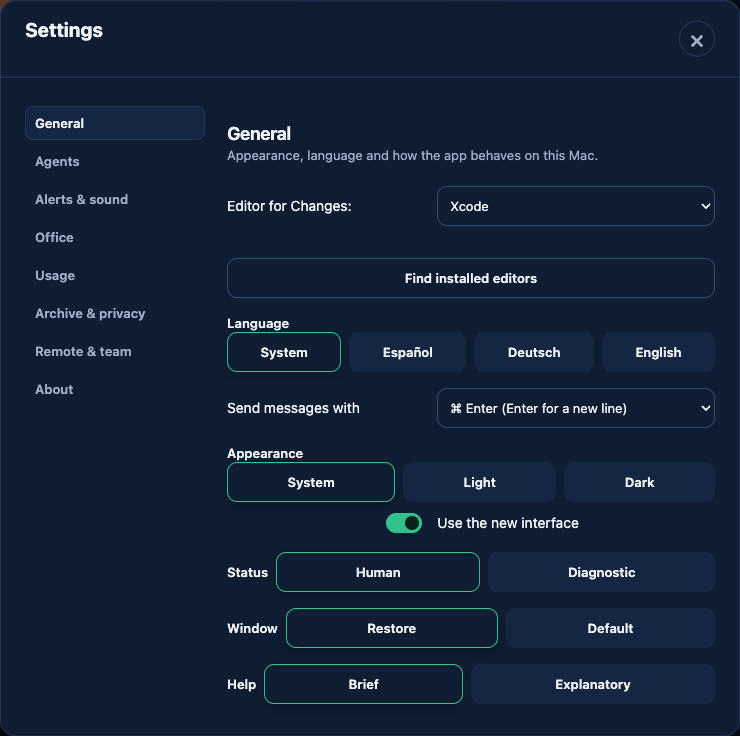
If you prefer using Enter to insert new lines, you can easily change this behavior in the application settings: - Open Settings and select General. - Find the option labeled Send messages with. - Choose ⌘ Enter as your preferred shortcut.
Once you pick your setting, all open message boxes follow your choice at once and show the shortcut directly in the composer.
Honest limits
This setting does not apply everywhere in the app: - On the phone, Enter stays a new line and Send sends your message. - Feedback notes stay multiline.
In pictures
Want to try it? Join the preview.