
Beta 85: Codex startup work, and what still stalls
Beta 85 changes how OffiAI starts Codex tasks. Our own check of this beta found that Codex can still stop at startup, so here is what changed and what to expect.
What changed
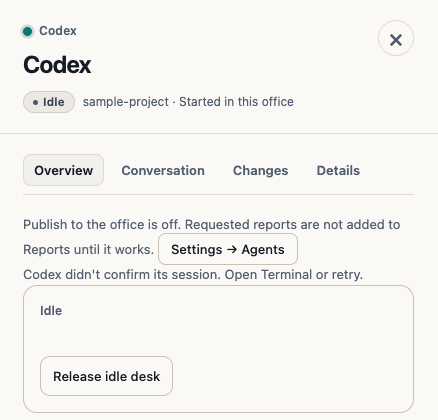
When Codex starts, it shows its own status popup. In beta 85, OffiAI is meant to submit that popup itself, try once more if the session is not confirmed, and then send your brief. If the session still cannot be confirmed, the desk says: “Codex didn’t confirm its session. Open Terminal or retry.” This text is also available in Spanish and German.
What we found
On 5 November we tested the installed beta 85 with Codex CLI 0.161.0, in both “Ask when needed” and “Full bypass”. Codex stayed on its status popup, the brief was not sent, and no second try happened. The desk showed: “Codex shows a screen OffiAI doesn’t recognise. Open Terminal to continue, or stop this session.” OffiAI kept your brief and did not type it into that screen.
What to do for now
If a Codex desk shows that message, click Open in Terminal to continue there, or click Stop. Your files are kept. Claude Code tasks are not affected.
Honest limit
A fix for this Codex startup stall is in progress for a later beta. We do not promise a date.