
Main office view: cards, pills and focus
Beta 62 shipped on 31 October 2026 for OffiAI. Desk cards now sit at the front of their desks without covering room tools, and tool names remain readable as you narrow the window.
What changed
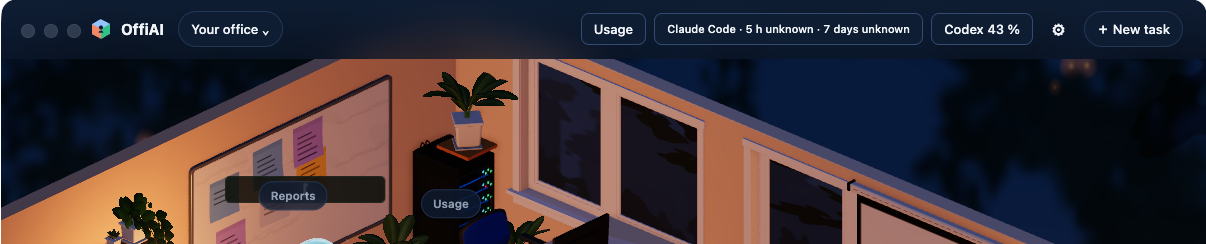
In the main office view, desk cards sit at the front edge of each desk. They no longer cover room tools in either the light or dark desktop theme.
Room and provider labels remain readable when you narrow the app window. Claude Cowork also keeps its correct title across English, Spanish, and German settings instead of showing a default room label.
Panels and overlays now coordinate focus and visibility. When you open a room tool or desk card panel, the underlying overlay cards and tools disappear so the open surface is clear to read. When you close that panel, the overlay reappears, and your keyboard focus returns directly to the control that opened it.
Where to look
Open the app to the main office view to see your desk cards at the front of each desk. You can drag the edge of the window inward to see room and provider names adjust while remaining readable. Click any desk card or room tool to open its panel, then close it or press Escape to watch focus return to that control.
What it does not do yet
This update applies only to the new interface. If you use the classic interface, desk card placement, room tools, labels, and focus behavior remain unchanged.
Want to try it? Join the preview.