
Why every agent session should be searchable
An agent session is a small piece of work with a decision trail: what you asked, what it changed, why. A week later you remember that “the one about the date parser” existed, and nothing else. The terminal tab is long closed.
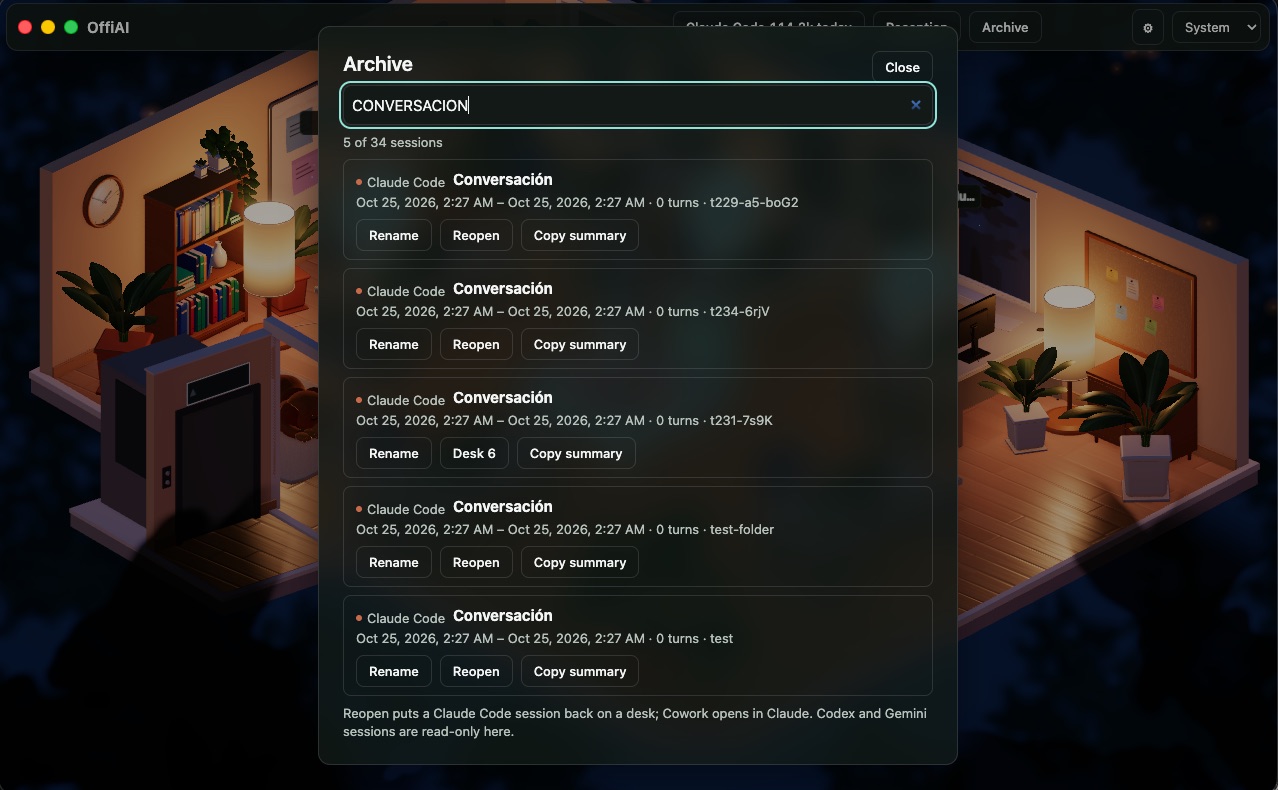
We think a session you cannot find again is half wasted. That is why OffiAI has an archive.
What the archive keeps
Every top-level session OffiAI sees, from Claude Code, Codex, Gemini or Cowork, becomes an archive entry. It outlives the ten-minute window in which a session is live at a desk, and it outlives a restart of the app. Helper sessions never become entries. Each entry stores the agent, a title (the agent’s own, or your first prompt), a folder label, when it started and was last seen, and a short excerpt.
The archive keeps up to 2,000 entries on your Mac and drops the least recently seen first, never one that is live. It is on by default. In Settings, “Keep an archive of sessions” switches it off, and “Clear archive…” empties it after asking you first.
The archive is kept on your Mac. OffiAI has no server that could receive it.
Finding a session
Click “Archive” in the top bar, right after Reception. The dialog lists your sessions, newest first. Press Cmd+F and the search field filters on every keystroke across titles, excerpts, agents and folder labels. Escape closes the dialog.
To be exact about it: search covers what the archive stores (titles, excerpts, agent names and folder labels). It is not a search through every line of every transcript.
What you can do with an entry
- Rename it, up to 120 characters. The name is for your eyes only: it appears in OffiAI and never touches the agent’s own files. Leave the name blank and the original title returns.
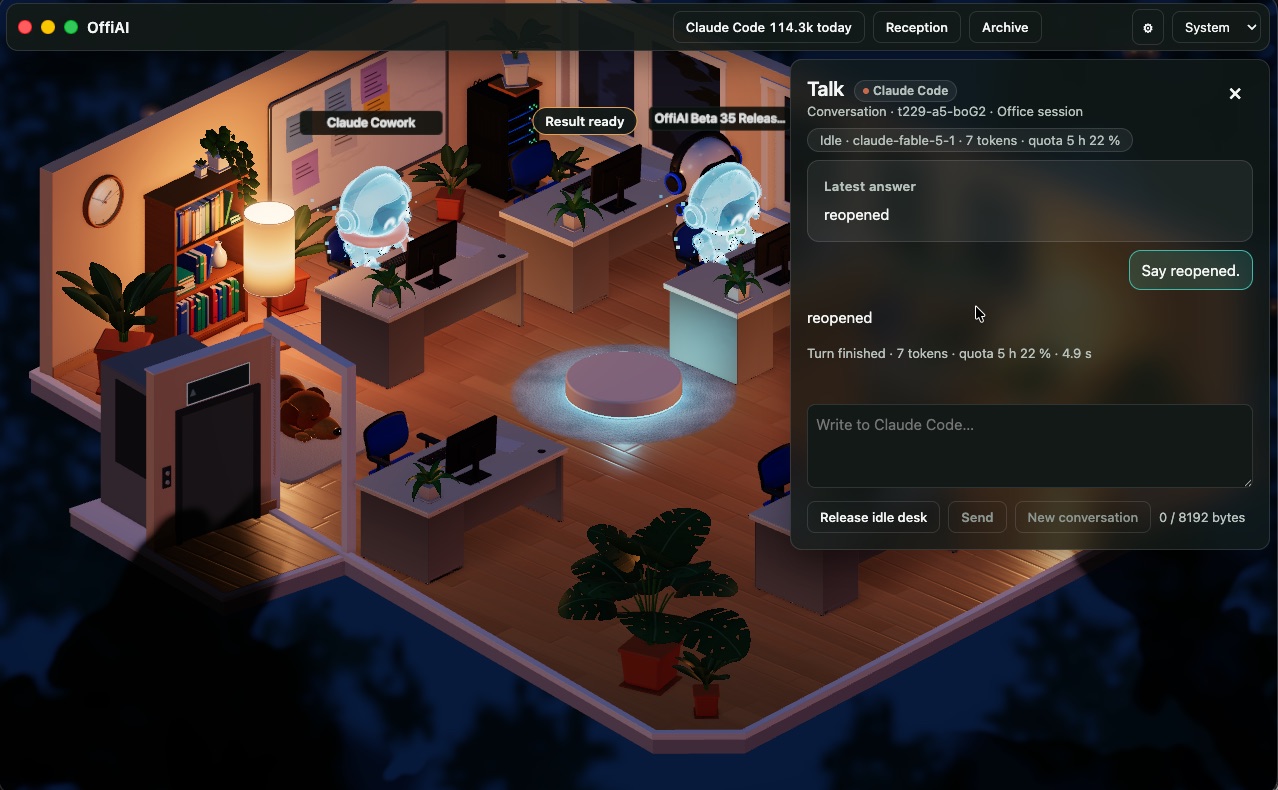
- Reopen a Claude Code session onto a free desk. Nothing runs until you send its next prompt. OffiAI refuses to reopen a session a terminal still holds, a desk that is occupied, or a transcript it cannot find, and it tells you why.
- Open a Cowork conversation in the Claude app (“Open in Claude”).
- Copy a summary to your clipboard, for a standup note or a pull request description.
What it does not do
- Codex and Gemini sessions are listed and searchable, but cannot be reopened from the archive.
- The archive begins when OffiAI first saw a session. It does not contain sessions from before OffiAI was watching.
- At 2,000 entries, the oldest-seen entries go first.
Why we think this matters
Agents will keep getting better at doing a task. Finding the task again, weeks later, is still your problem. A plain list with search, a name you choose and a way back to the conversation solves a real share of that, and it costs nothing to keep.
Try it
OffiAI is free for Macs with Apple silicon. Download it from the release page. Our data statement is at offiai.app/app-data.
In pictures
Want to try it? Join the preview.