
Send feedback without closing the panel you are in
In beta 61, feedback opens above whatever panel you have open, and you can type and send it there.
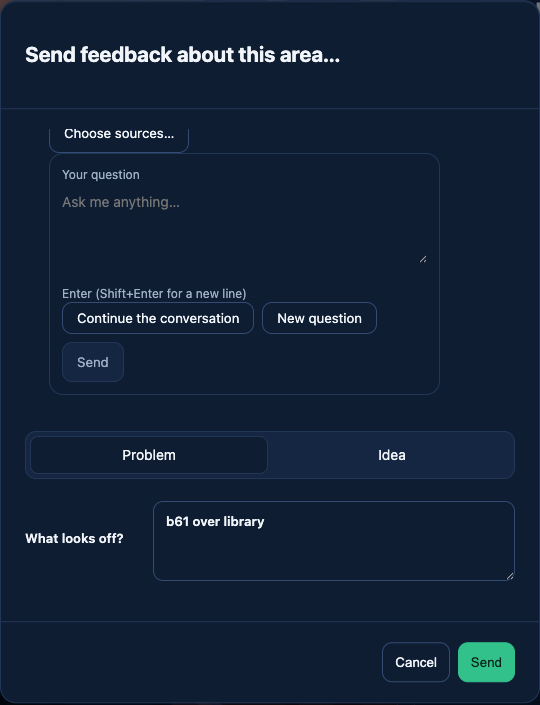
What changed
When a panel such as the Library or Settings is open, the feedback box now opens on top of it, so you can report what you see without closing the panel first.
How to use it
Right-click inside the panel you want to report, for example the Library, Settings, a desk’s panel or the Reception task form, and choose «Send feedback about this area…». The feedback box opens above it. Pick «Problem» if something looks off, or «Idea» if you want it to do something new, write your note, and press «Send».
While the box is open, Tab stays inside it. «Cancel» or Escape closes only the feedback box. The panel underneath stays as you left it, and a task you were writing in Reception keeps its draft. After «Send», the feedback box closes and you are back in your panel.
Not checked yet
In our check of this beta we did not see a confirmation message after «Send»; it may be brief. Feedback over the remote office’s office chooser was not tried.
Want to try it? Join the preview.