Beta 87: finish a task and free its desk in two clicks
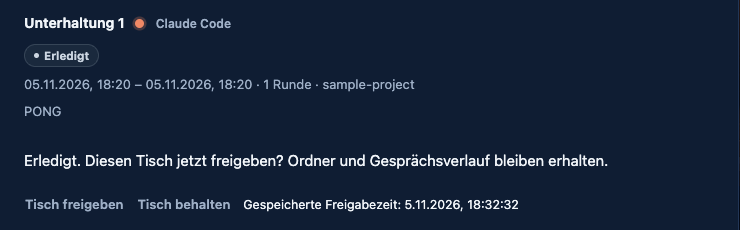
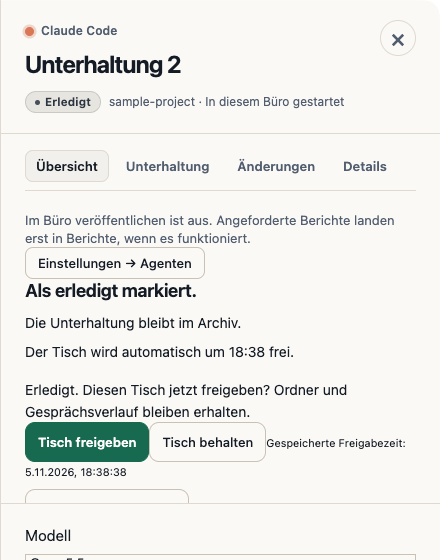
Beta 87 lets you finish an agent task and free its desk in two clicks. You can now mark a delivered task done and release its desk immediately, without a separate review step or separate release opener.
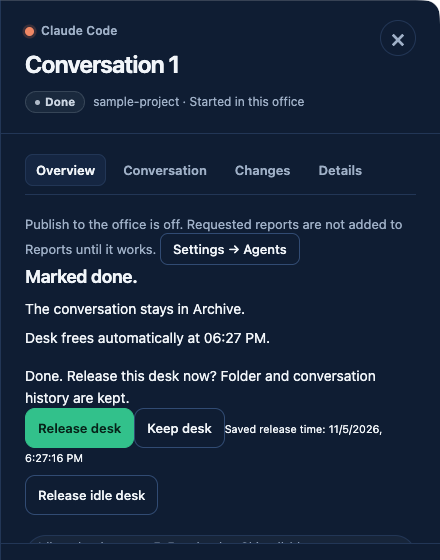
## What changed Previously, finishing a task took four clicks: you had to mark it reviewed, mark it done, choose to release the idle desk, and confirm the release dialog. Beta 87 removes the mandatory review step and the separate release opener. Delivered and reviewed tasks can now become Done directly, and so can archived deliveries. Review is now optional. The desk release option appears inline.
## How to use it To use this, look at a delivered task that holds a desk. Click Done, then click inline Release desk. If you prefer to keep the desk assigned, click Keep desk instead. The task’s Done deadline and the safeguards around automatic release stay as they were. The inline release row stays in place when you search or filter your conversations, and it visibly refuses unsafe or stale targets. If you use a phone, you can finish and release in two taps.
## What we found In our hand check of the installed build, the first pointer click or Space press on Done sometimes did not work. In three cases, it focused the button without taking action and showed no message. We have not found the cause yet.
Want to try it? Join the preview.
In pictures