
Beta 43: fixes from beta 41
OffiAI beta 43 delivers fixes from beta 41. Gemini answers reach their desk, Codex starts even when Finder left hidden files in the folder, and the app gives direct guidance when macOS blocks Terminal.
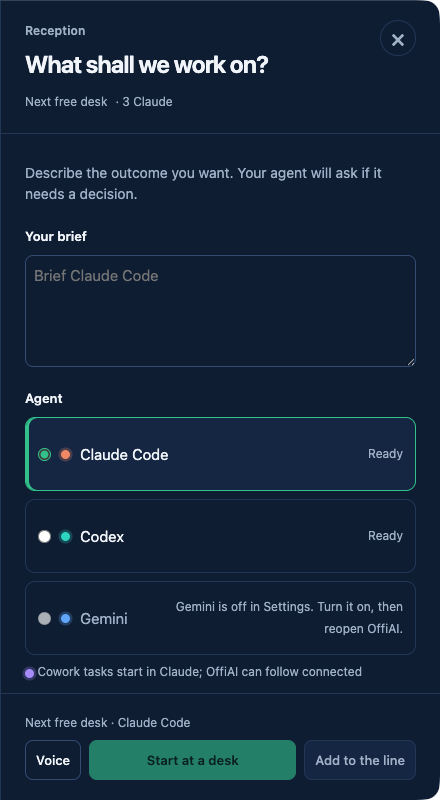
Desk starts and provider setup
When you use “Reveal in Finder”, Finder can leave hidden files in the folder. These files no longer block your next “Work on its own branch” start. If setup does fail, OffiAI names the selected agent, showing “Codex or the folder is unavailable. Retry setup.”
Setup recovery buttons also follow your selected agent, offering “Retry Codex setup” or “Retry Gemini setup”. Default conversation names now announce in your current language, and an unresolved readiness check says “Checking Claude Code…”.
Terminal access and messages
When macOS blocks “Open in Terminal”, look at the drawer. It directs you to “System Settings › Privacy & Security › Automation”. You can click “Copy Terminal command” to copy the verified command for the current session. The app then displays “Terminal command copied. Paste it into Terminal.”
Gemini answers now reach their desk. For Codex, clicking Send after a cancelled approval checks only whether the current step is still running. If a Send overlaps an incoming update, the app waits for it or says “Checking session state. Try again.”
Attachments and layout
When you click “Attach files…”, OffiAI distinguishes between size and count limits. The notice tells you either “This file is larger than 25 MB. Choose a smaller file.” or “You can attach up to 5 files. Remove a file before adding another.” Correcting the selection clears the notice, and other conversations do not inherit it.
The Talk drawer scrolls, and the Provider row can wrap inside Reception. In Archive, stopped sessions show “Ended” or “Interrupted” alongside retained review decisions.
Current limits
When you use “Save a copy…” or copy an attachment, OffiAI checks the original file’s download warning and restores that warning, or its absence, on the copy. If that check fails, the copy is refused. This check still needs a signed app check, and the Talk drawer check at 1280×800 with long answers, attachments and enlarged text still needs a packaged app run.
In pictures
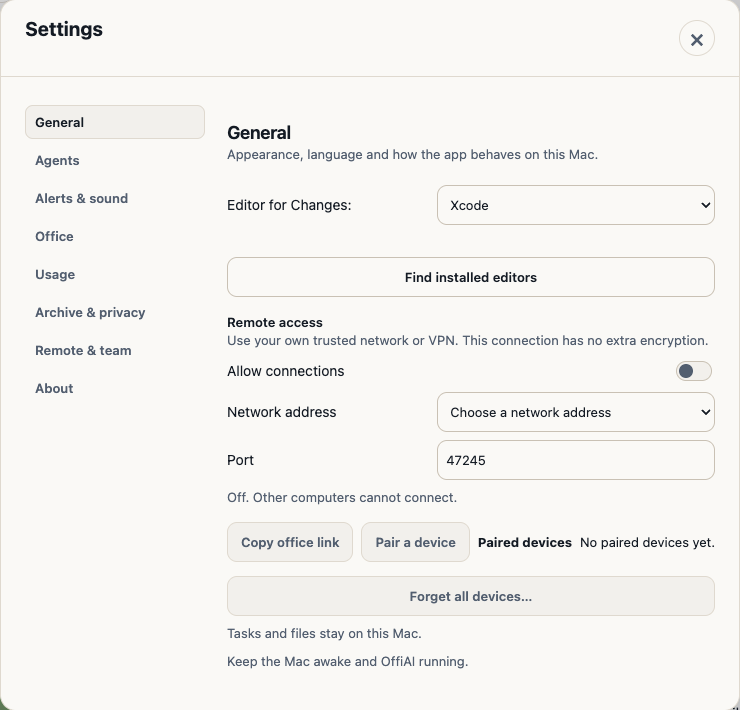
Want to try it? Join the preview.