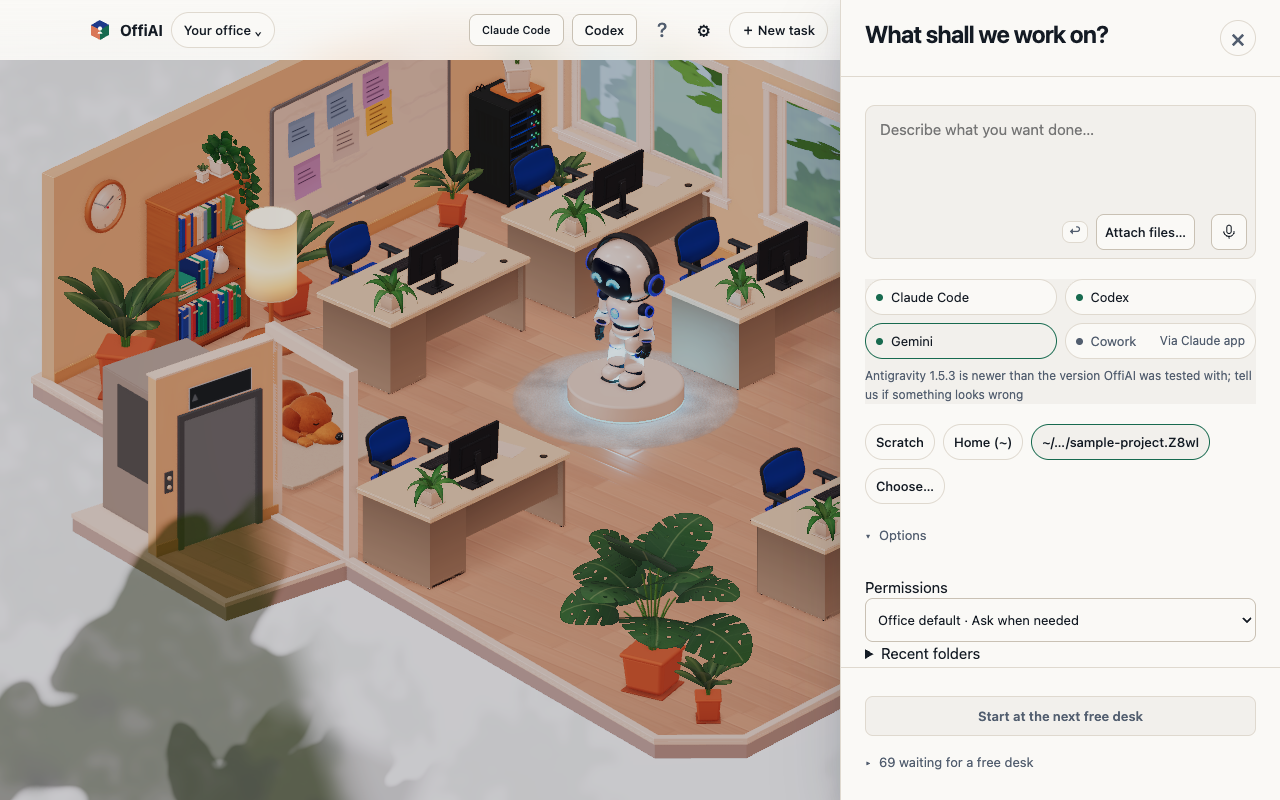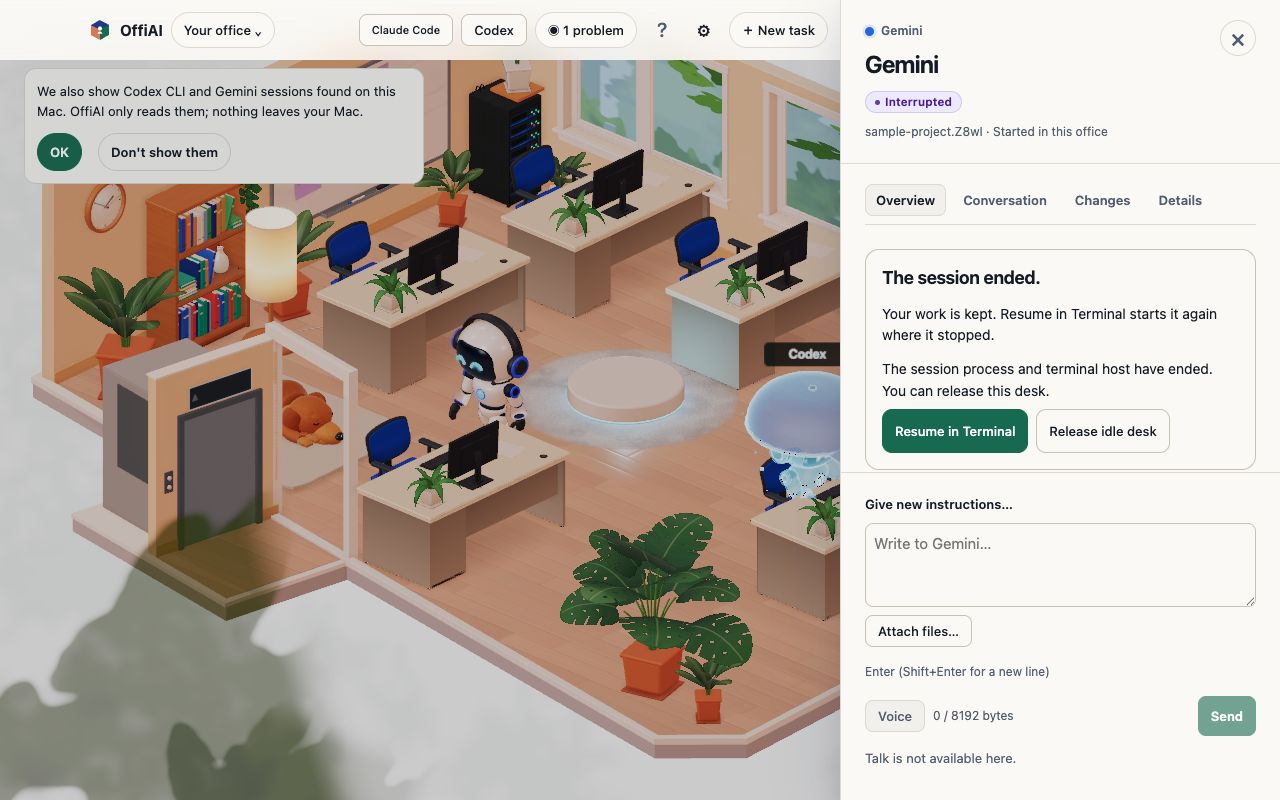
Gemini task permissions in Settings and Reception
In beta 92, you can configure an office default permission mode for Gemini and set per-task overrides in Reception. This update lets you choose how independently Gemini acts when running coding tasks in OffiAI.
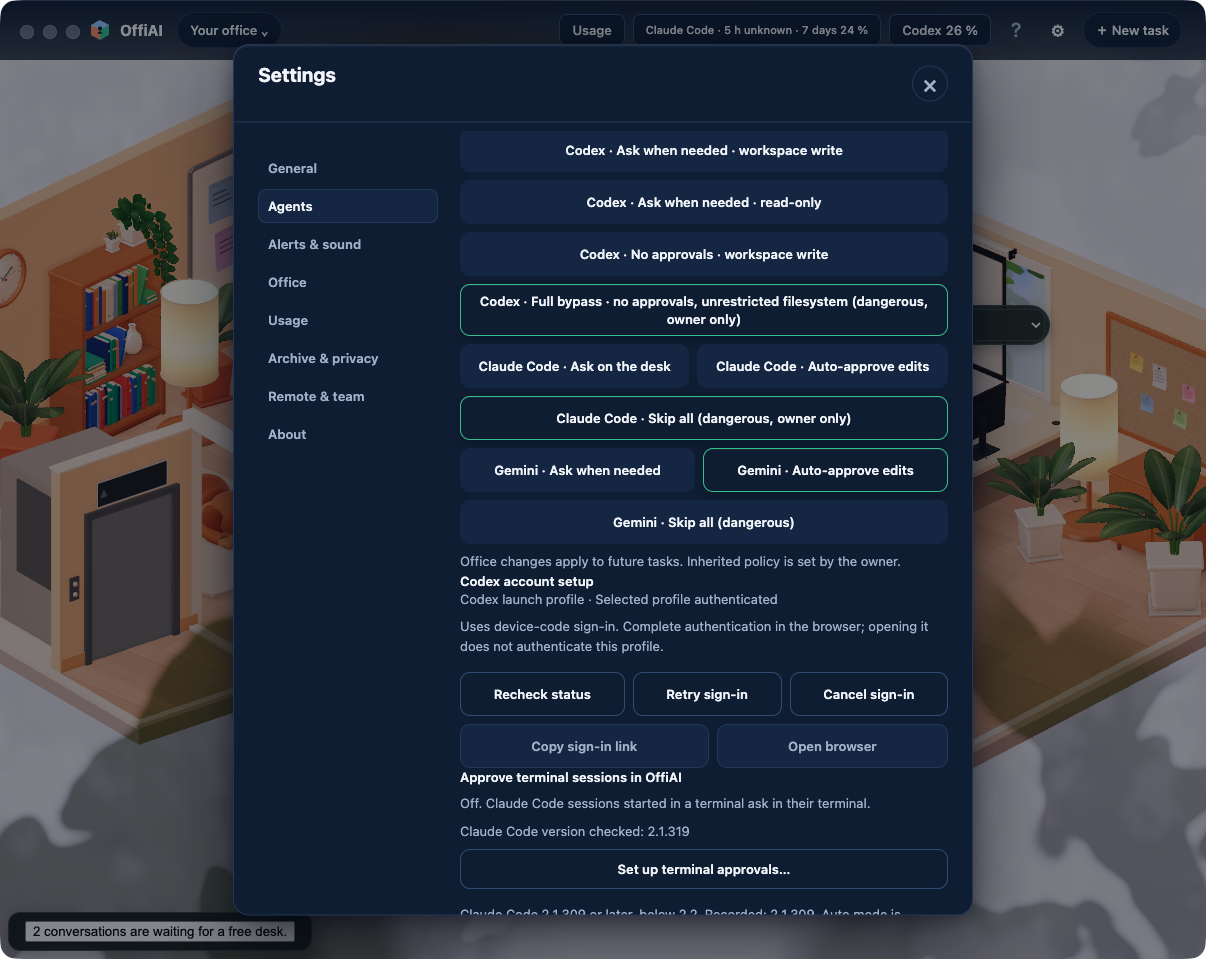
Where to find the new controls
To set a default for an office profile, look under Settings → Agents in Settings. Saved defaults apply to future tasks in that office profile.
When you prepare a new task in Reception, the permission field lets you keep the office default or pick a per-task override for that run.
The available choices are: - Ask: Prompts for approval before running tools, keeping today’s behavior. - Edits: Automatically approves file edits. - Skip all: Automatically approves tool requests.
Confirmations and paired devices
When you choose a dangerous permission option on a paired device, the app asks visibly where you selected it and shows that it is waiting for confirmation.
What is not in this beta
Folder trust is still asked with skip-all. Our hand check of beta 92 could not verify whether Skip all writes files without an approval prompt because the Gemini account was out of quota. In addition, scratch policy surviving queue, retry, restart, and resume is not built into this beta.
Want to try it? Join the preview.
In pictures