Gemini now says which Antigravity versions OffiAI supports
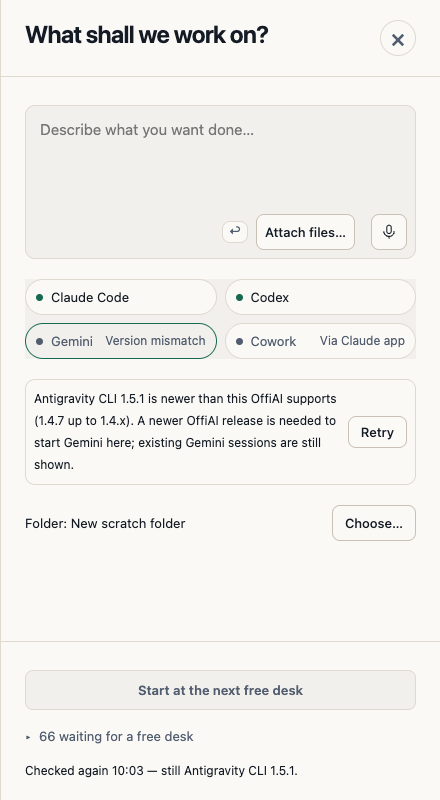
In beta 84, when your Antigravity CLI is newer than OffiAI supports, Gemini tells you plainly, and Retry shows that it really checked.
What changed
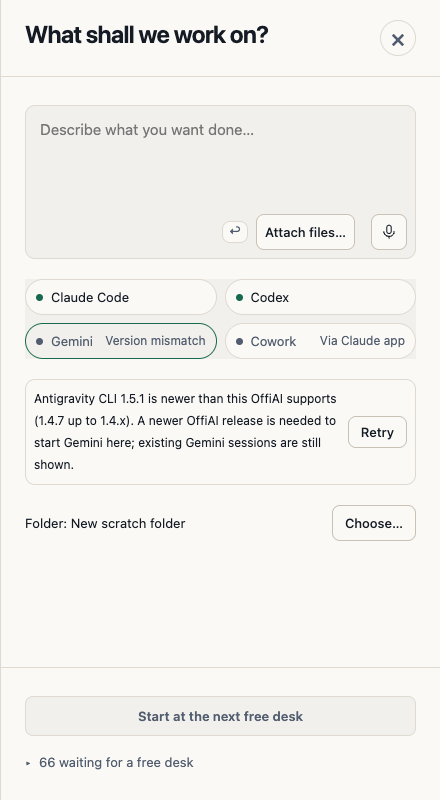
Antigravity, the CLI behind Gemini desks, can update itself. Before this beta, after it updated to 1.5.0, Gemini was blocked with a version mismatch message, and pressing Retry gave no visible answer.
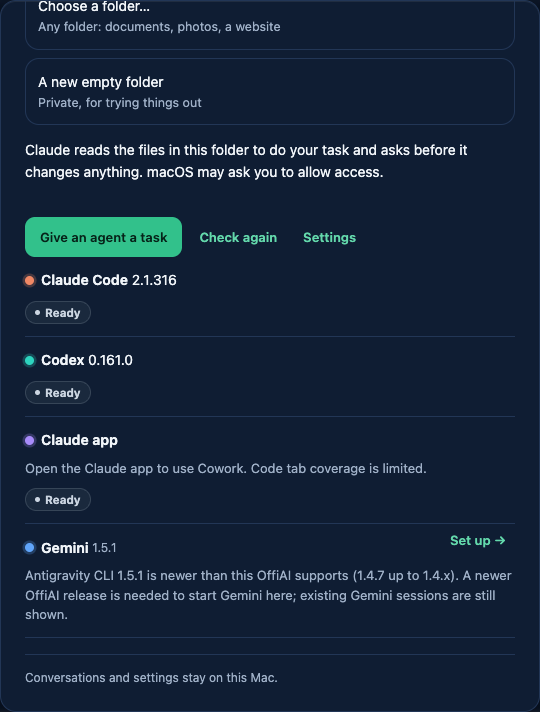
Now the welcome Reception and the desk name both versions, for example: “Antigravity 1.5.0 is newer than this OffiAI supports” followed by the supported range. They also say that a newer OffiAI release is needed to start Gemini there, and that your existing Gemini sessions are still shown. There is no update button that leads nowhere. Codex uses the same wording when its CLI is too new.
How to use it
Press Retry after you change your Antigravity version. It shows “Checking…” and stays disabled until the check is done. Then it reports “Checked again” with the time and the version it found. If the version changed, the desk refreshes. If the check fails, it asks you to try again.
Honest limit
This beta does not let Gemini start with Antigravity 1.5.0 or newer. That needs a later OffiAI release that supports those versions.
Want to try it? Join the preview.
In pictures