
Invitations and folder paths copy in the installed app
OffiAI beta 56 shipped on 30 October 2026. It fixes copying in the installed app, gives visitors the real read-only office and tidies two small edges in feedback and pairing.
What changed
Copying an invitation or a Reception folder path now works in the installed app. The confirmation and failure messages keep their English, Spanish and German wording.
A visitor no longer lands on a page with only a header. They see your office read-only, including desks that are busy in the background, and nothing they could use to change it.
Feedback sent over Settings now shows the screenshot you selected. If the preview cannot be made, the sheet says so plainly: “Screenshot preview unavailable.”
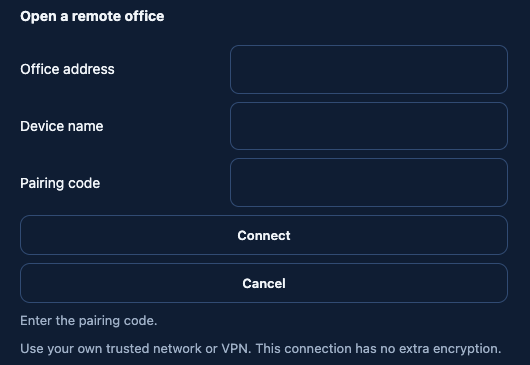
Pressing Connect with an empty pairing code no longer tries to connect. You stay on the form and see “Enter the pairing code.”
How to use it
- Copy an invitation or a Reception folder path and paste it where you need it.
- Invite a visitor: they see your office read-only.
- Send feedback while Settings is open and check the screenshot it shows.
- Type the pairing code before you press Connect.
Known limit
In the classic interface, feedback over the Settings drawer does not open yet. The new interface handles it; the classic case is planned for a later beta.
In pictures
Want to try it? Join the preview.