
Keep the outside-sessions switch in sync with Settings
Beta 116 shipped on 14 November 2026 with updates to the outside-sessions switch in OffiAI. Your office switch and Settings now stay in sync, keyboard focus stays on the switch, phone tap targets are larger, and translated copy is updated.
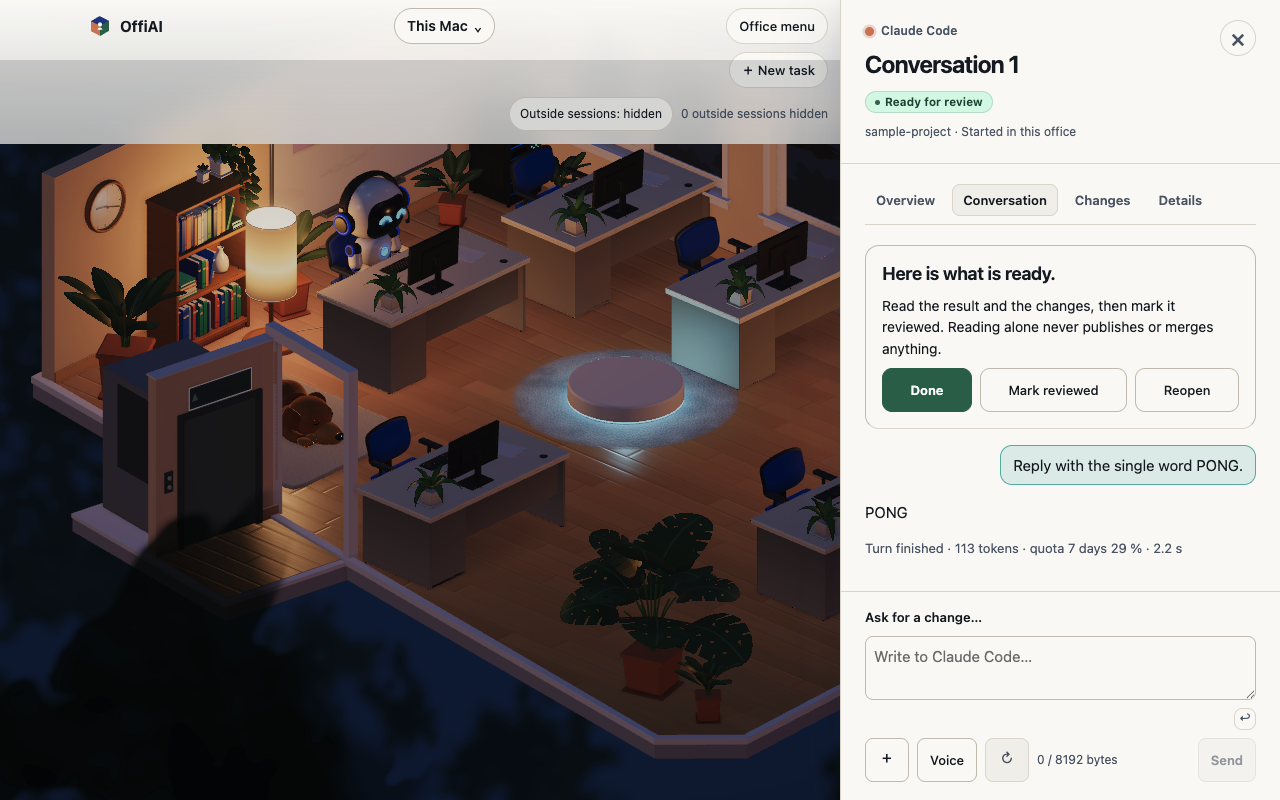
What changed for you
- The outside-sessions switch in your office and the setting in Settings › Agents now use the same saved state. They match when turned on or off, and they stay matched after you restart OffiAI.
- The desk switch now shares the permission wording from Settings.
- When you activate the outside-sessions switch with your keyboard, focus stays on the switch while it saves. Screen-reader state updates in place.
- Visible phone status chips keep their accessible names and enlarge their tap targets to avoid overlapping nearby chips.
- Default conversation titles, the peek view, and the “Not now” prompt follow English, Spanish, and German. Your own titles and external titles stay literal.
How to use it
Open Settings › Agents to check or change your outside-sessions setting. You can also click the outside-sessions switch in the office, or toggle it with your keyboard. On phone screens, look at the status chips for the larger tap area.
Current limits
While the switch is saving, it marks itself as disabled for assistive technology, but it does not yet set a separate busy state. Also, if you view an office as a visitor, the switch mirrors the host and you cannot change it yourself.
In our hand check of the installed beta 116 build, switch focus and the agreement and wording between Settings and the office switch passed. Several parts of this change were not measured in that hand check yet: phone chip target sizes and separation, Spanish and German copy for the peek title and “Not now”, focus during a failed save or retry, and visitor sharing.
Want to try it? Join the preview.