
Finish a task and free its desk in two clicks, in the installed app
Beta 91 brings the two-click finish into the app you install from the download, not just our development builds. We checked it by hand on the installed beta 91 with a Claude Code task in the task panel.
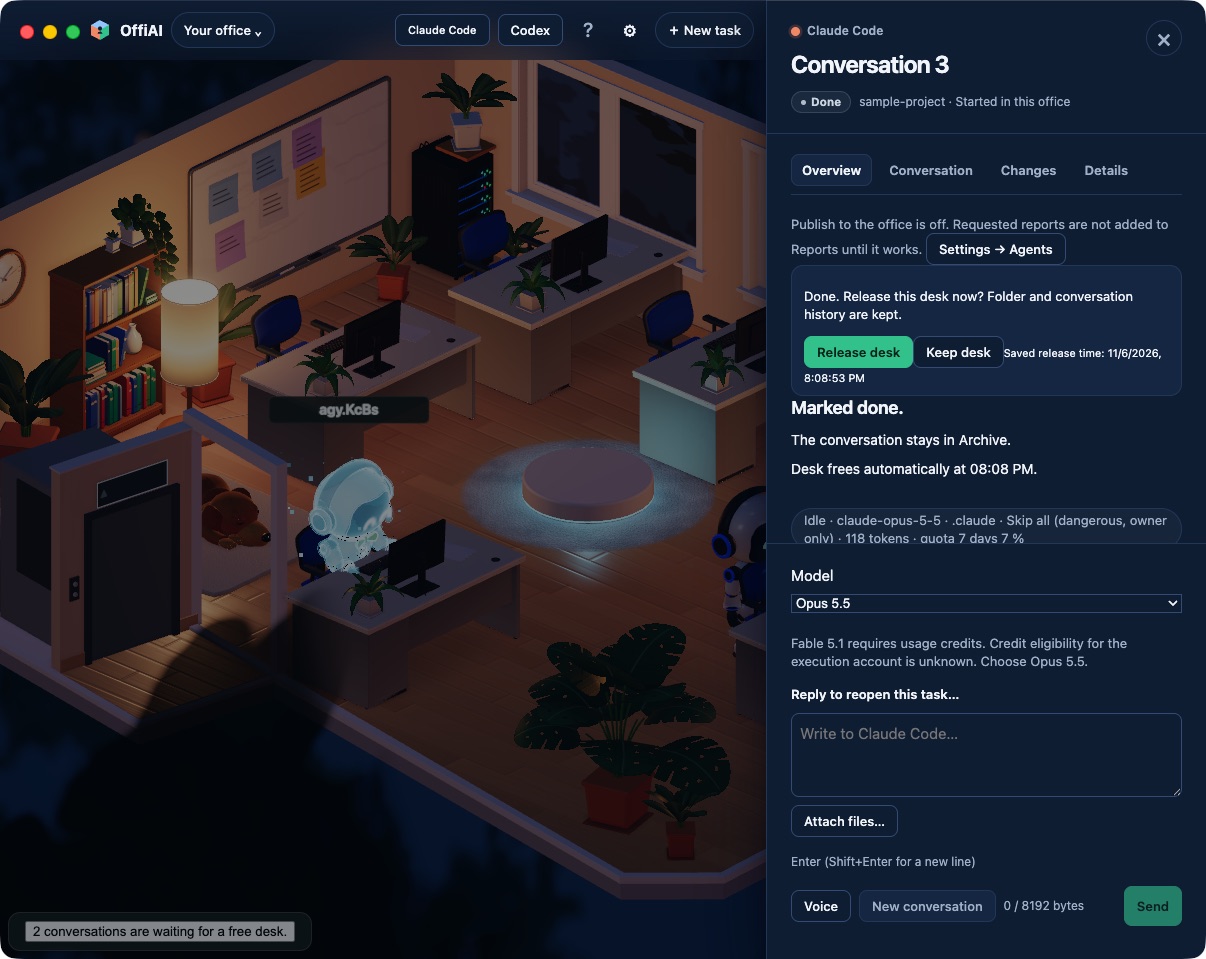
What changed
When an agent’s work is ready for review, the task panel now leads with one clear action: the filled Done button comes first, and the optional review step stays quiet beside it.
Click Done and the same place asks right away: “Done. Release this desk now?” with a Release desk button. The question stays where it is while you move between the Overview, Conversation and Details tabs. The old separate way to release an idle desk no longer appears, so two controls no longer compete for the same job. Finishing a task and freeing its desk now takes two clicks.
How to use it
1. Open the task panel of a task that is ready for review. 2. Click Done. 3. Click Release desk to free the desk for the next task.
If you want to look at the work again before you decide, switch tabs: the release question waits for you in the same place.
One honest limit
So far we have confirmed only this path: a Claude Code task in the task panel, using the mouse, with Done followed by Release desk. On the installed app we have not yet checked Keep desk, the messages that explain when a desk cannot be released, the English, Spanish and German labels, Codex, Gemini and Antigravity tasks, keyboard use, the Conversations list or the phone. We will say so here once they are checked.
Want to try it? Join the preview.