Beta 113: one release path on a delivered desk
Beta 113 ships on 14 November 2026 with one release path on a delivered desk, cleaner ended cards, and top bar overflow handling. You get consistent release controls across tabs and a top bar that holds its shape when warnings appear.
One release path and cleaner ended cards
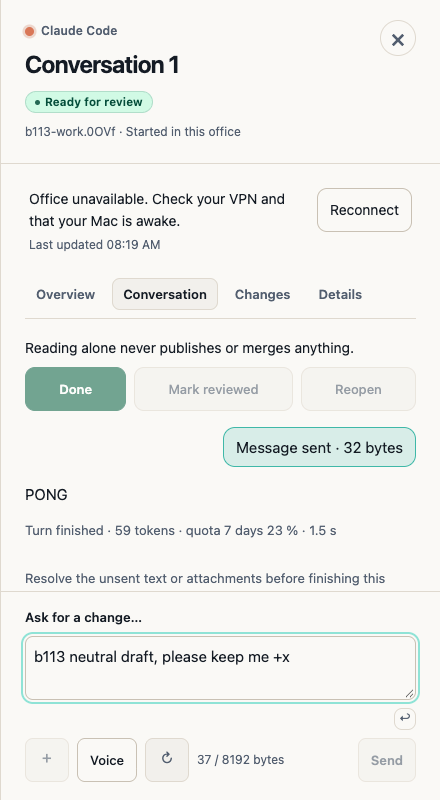
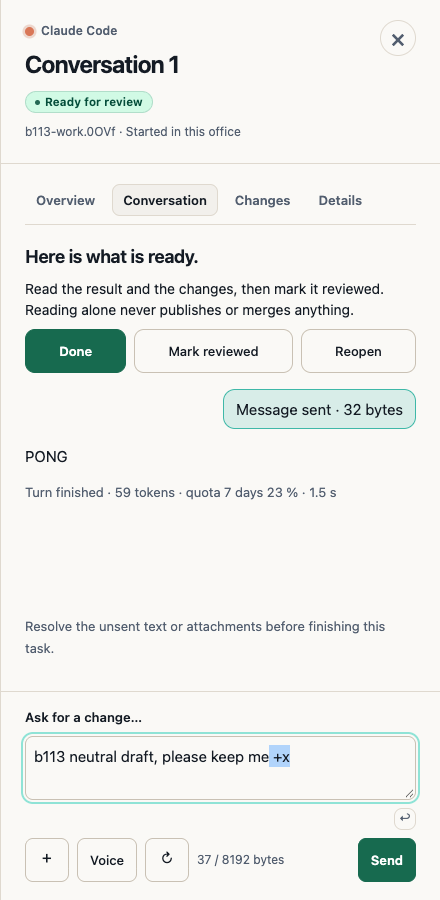
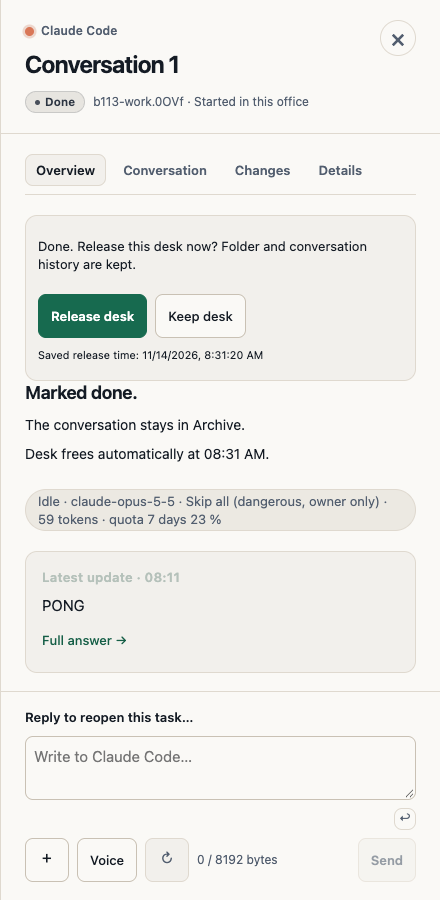
A Delivered desk on a live host now offers only the Done → Release desk or Keep flow on every tab. A publishing failure does not classify the host as ended. If the host ends while the confirmation is open, the stale confirmation closes and sends no reset before the ended Release idle desk appears.
When a desk is proven to have ended, you see one ended card directly under the tabs on Overview, Conversation, and Details. It shows one Release control, whether the desk was Delivered, Reviewed, Done, setup-failed, or in recovery, resumable or not. Clicking Done on an ended desk saves the outcome without a second release prompt.
The tabs stay pinned, and the full publishing note fits inside a fixed footer even without a composer. The body scrolls to reveal a tall card without an inner scroller, keeping full labels and 44 px targets intact. Quota cards show a short heading for which provider reached its quota, the provider reset text below it, and muted guidance text.
On a remote office, the card notes that you can release the desk and shows Resume → Release when resuming is available. It tells you that Resume opens on the office Mac, not on this computer, and drops that note when Resume is unavailable.
Top bar overflow handling
At 1280 and 1440 widths, in light or dark mode, the saved-office pill, Office menu, and New task labels stay whole and focusable alongside a Codex 91 % warning. That warning compacts first while keeping its full tooltip and accessible name. The top bar, its slots, and the document never scroll horizontally when a warning updates or clears, or when you open or close Usage or presentations.
Limits
If proof that a host ended is still pending or uncertain, the ended card appears without a Release button. Also, our own hand check of beta 113 has no real-device or tunnel check, and we did not run Spanish or German checks on that build.
Want to try it? Join the preview.
In pictures