
Right-click › Send feedback: problems and ideas
Beta 51, released on 29 October 2026, lets you say what kind of feedback you are sending about a part of your office: a problem or an idea.
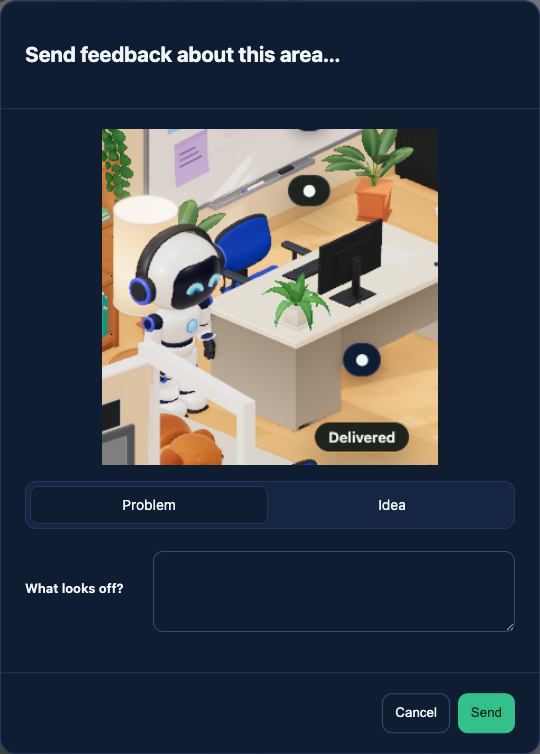
What changed
Since beta 48 you could right-click an area of the office, capture it and save a report. Every report was treated as a problem, even when you only wanted to suggest something. Now you choose the kind before you send it, so a suggestion is recorded as a feature request instead of an error report.
How to use it
- Right-click the part of the office you mean and choose “Send feedback about this area…”. You can also select an area with the existing menu or by dragging.
- Choose Problem or Idea.
- Click Send.
Both kinds keep the screenshot and the context of the area you picked. They are saved locally, and if you have configured a folder for your office’s reports, they are also placed in that folder, as before. When you send an idea, its summary marks it as a feature request.
Good to know
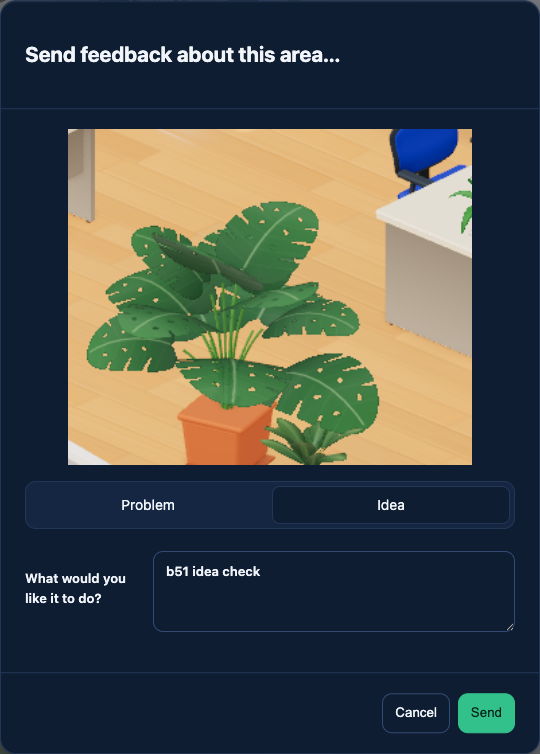
A problem can be sent without a note. An idea needs a description, so write a sentence or two about what you would like the office to do before you click Send.
In pictures
Want to try it? Join the preview.