
Beta 65: feedback reports show what led up to the problem
Beta 65, released on 31 October 2026, makes a feedback report carry more than a screenshot and a note. When you send a Problem or an Idea, OffiAI now adds three things that explain what the app was doing at that moment: your recent actions, a short app log and a snapshot of the app’s state.
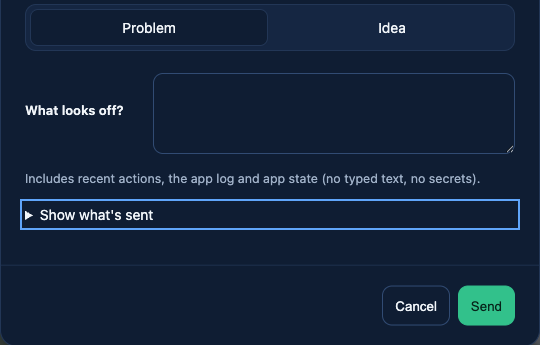
What a report contains now
- Recent actions: what you did in that window, at most 100 actions and only from the last 15 minutes. What you typed is never kept.
- App log: the log lines from the current launch, capped in size.
- State snapshot: every desk and its status, plus the settings that matter for a bug report. Secrets and your home folder path are left out.
- Your note and the screenshots, as before.
How to use it
Right-click the part of OffiAI that is wrong and choose Send feedback, then pick Problem or Idea. The sheet shows a line saying diagnostics will be attached. Open the preview under it to read exactly what goes with the report before you press Send. This works in English, Spanish and German.
The report is saved on your Mac. From a remote office window it goes to the office owner’s Mac through the same upload as before. Nothing is sent anywhere new.
What it does not do yet
If the diagnostics can’t be collected in time, the report is still saved with the diagnostics marked as unavailable, so a slow app never blocks your feedback. In this beta the snapshot can list a desk as idle while the office shows it as ready for review, and recorded actions can show a generic label instead of the field’s name. We are working on both.
Want to try it? Join the preview.