
Beta 63: sending feedback over Settings keeps Settings open
Beta 63 shipped on 31 October 2026. You can now start feedback about Settings without losing your place in Settings, and the task list on your phone responds to taps. Closing the feedback sheet with the keyboard still has a bug, described under Current limits.
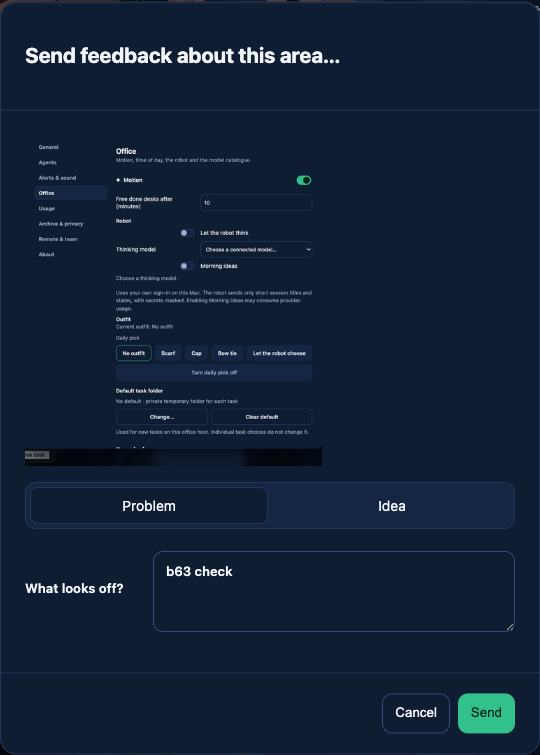
What changed
Now the feedback sheet opens over Settings, shows a preview of the area you picked, and lets you choose Problem or Idea. When you cancel, the sheet closes and Settings is still open on the same section.
On a paired phone, the task list now opens and closes with a tap.
How to use it
1. Open Settings and go to any section. 2. Right-click the part of Settings you want to comment on and choose «Send feedback about this area…». 3. Pick Problem or Idea and type your note in «What looks off?». Press Cancel to go back to Settings.
On your phone, tap «Expand task list» to see your desks and tap «Show office» to go back.
Current limits
Closing this sheet with the keyboard is not finished yet. If you close the sheet with Escape and then close Settings with Escape, the office stops reacting to clicks until you choose View › Reload, and while the sheet is open, Settings behind it is squeezed into a narrow column. Close the sheet with Cancel to avoid the first problem. Both are on the list for the next beta.
Want to try it? Join the preview.