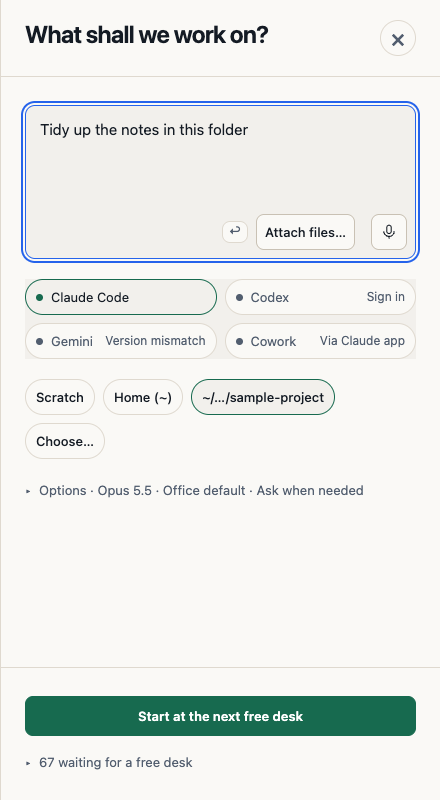
Start directly in Reception with a new scratch folder
Beta 86 removes the setup steps between opening OffiAI and giving an agent its first task. When an agent is ready, OffiAI opens Reception once, with the cursor already in the brief box.
What changed
The old folder questionnaire is gone. Before, the first Claude task asked for a folder, preselected Documents, and needed a separate step into Reception. Now a ready agent takes you straight to Reception, and your first task can go to Scratch or to the folder you used before.
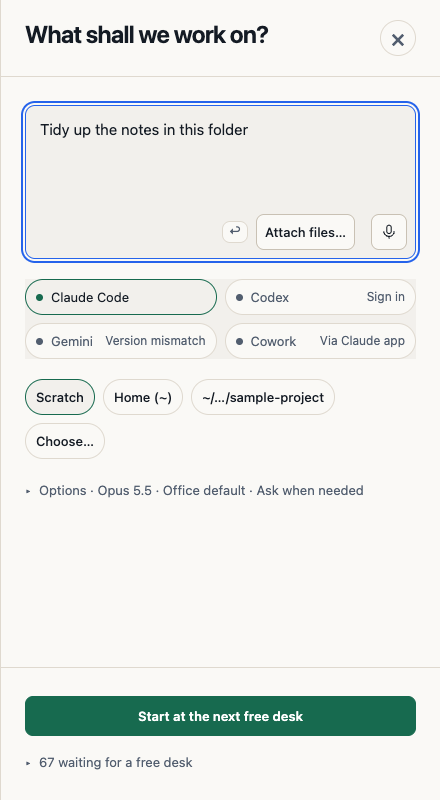
Folder buttons in Reception let you pick Scratch, Home or your last folder in one click, in English, Spanish and German.
Scratch gives a new task its own private folder, without touching protected places on your Mac.
OffiAI remembers a folder you choose on purpose, for the next tasks and after a restart. The office folder from Settings still counts.
New Scratch tasks still use your office’s permission setting, as before. Letting a fresh Scratch task skip routine approval prompts is not part of this beta.
How to use it
Type your brief, click a folder button, and start the task. Use Scratch for quick, throwaway work and your last folder for a project you come back to.
What is not working yet
Our hand check of the installed beta started a Claude Code task from Reception and found no problem with this change. We did not check the automatic opening of Reception in an empty office, the phone layout, or what happens when a saved folder has gone missing.
We found two small issues. If you change or clear the folder in Settings, a Reception that is open in the same session keeps the old folder until you restart OffiAI, even though Settings already shows the new choice. A last folder in a system temporary location is shown with a shortened label instead of its real path.
Want to try it? Join the preview.
In pictures