Beta 69: two screenshots pasted in the same second both stay
If you paste screenshots quickly, OffiAI used to lose one of them. Beta 69 fixes that, and it makes feedback reports clearer about what each desk is doing and what you clicked.
Pasting screenshots
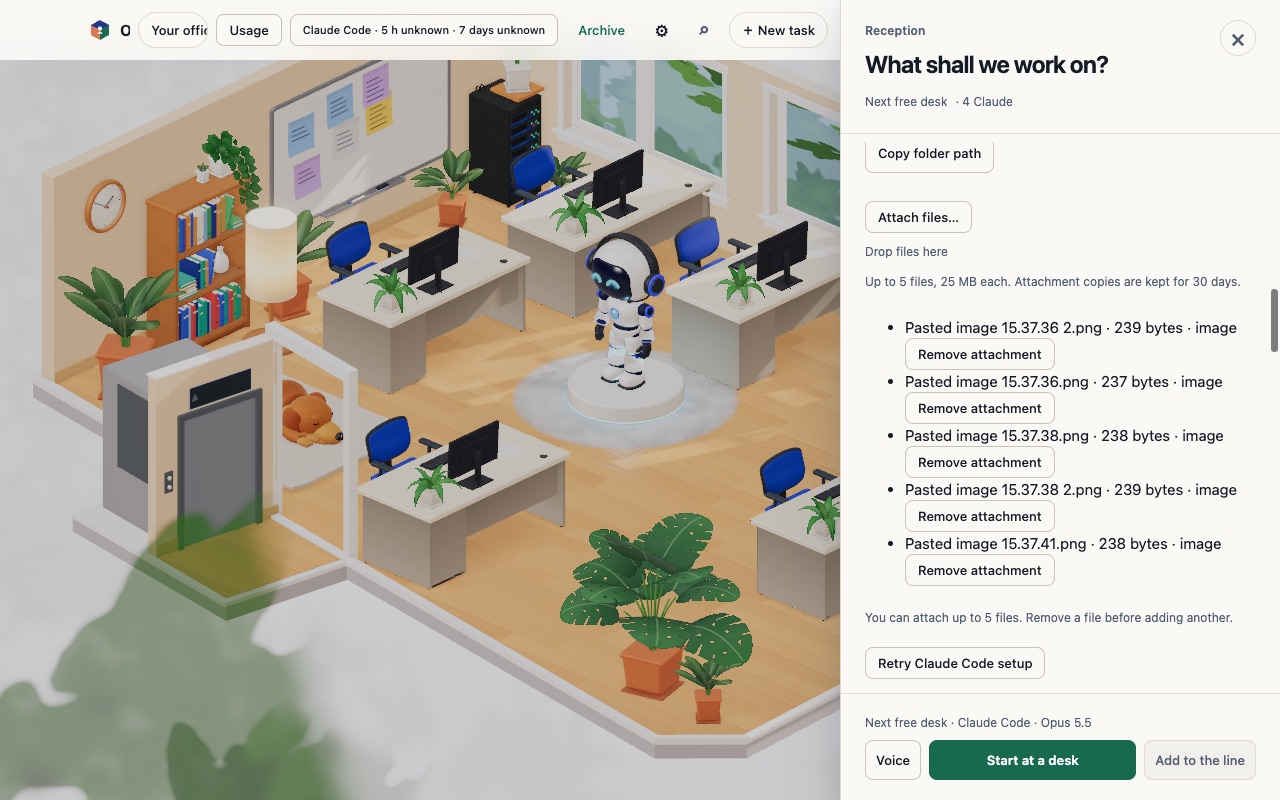
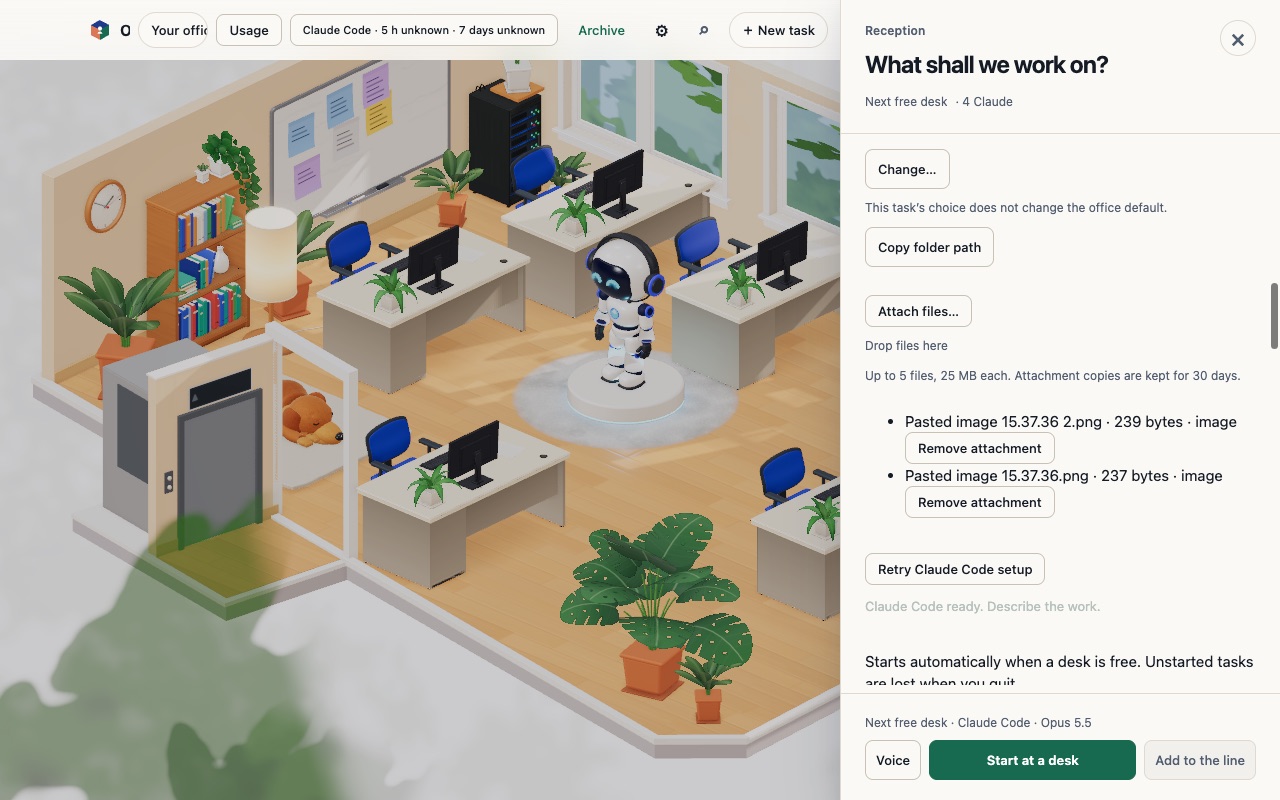
Paste two screenshots in the same second into the brief under New task in Reception, or into a desk’s Talk box. Both now stay as attachment chips. Before this beta, the first one could disappear without a message. OffiAI names them by the time you pasted, and the second one gets a number: «Pasted image 10.15.07.png» and «Pasted image 10.15.07 2.png». This works the same way in the remote office.
You can still attach up to 5 files. Pastes that are still loading now count toward that limit too. When a paste would go over the limit, OffiAI tells you instead of silently dropping it: «You can attach up to 5 files. Remove a file before adding another.» Remove a chip, then paste again.
Desk state in feedback reports
When you send feedback, the report’s snapshot lists each desk with its state as the office shows it, such as Ready for review, next to the status of the session behind it.
Recent actions in feedback reports
The recent actions in a feedback report name the field or button you used, for example that you typed 9 characters in the brief under New task. They never include what you typed, task titles, notes, file names or link text.
Limits
This beta changes nothing else about attachments: the 25 MB size limit and the 5-file limit stay. Automated tests cover all three changes. Our hand check for beta 69 could not repeat the paste and feedback steps by hand, so please send us feedback if a paste still goes missing.
Want to try it? Join the preview.
In pictures